Deposit Money in 3R3R Game via QR Code | Full Guide 2026
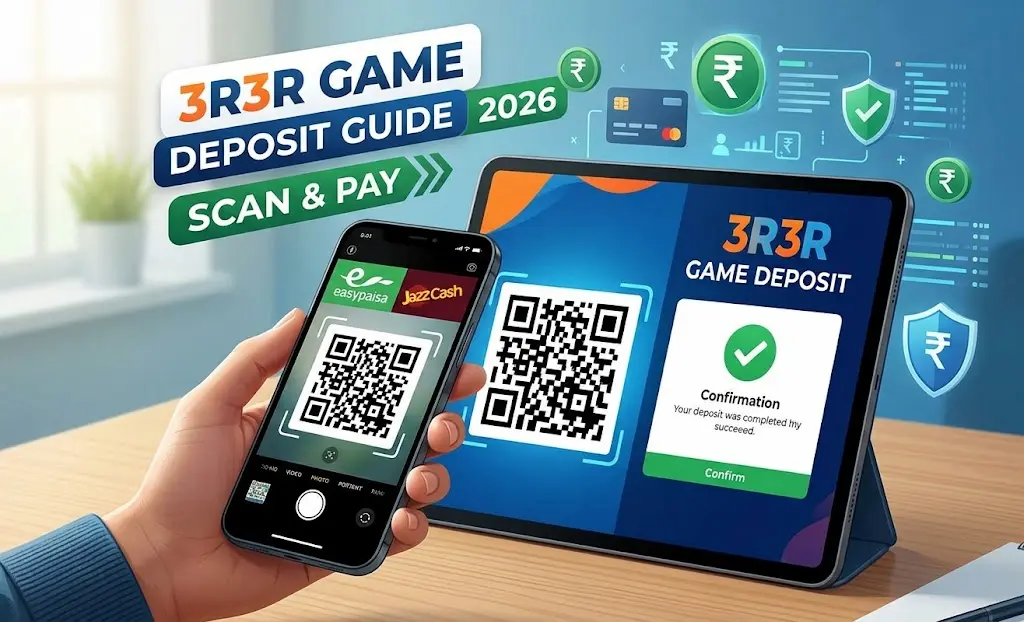
If you want to Deposit Money in 3R3R quickly and safely, adding money to your wallet is now easier than ever. With the integration of the modern QR code scanning system, players can top up their balances within seconds without dealing with long transaction procedures.
In this comprehensive guide, we will walk you through the updated, step-by-step process of depositing money into your 3R3R Game account using popular digital wallets like Easypaisa and JazzCash.
Prerequisites Before Deposit Money in 3R3R
- Active Game Account: Make sure you are logged into your registered application.
- Updated Mobile Wallet App: Ensure your Easypaisa or JazzCash application is updated to the latest version so the QR code scanner works smoothly without lag.
- Sufficient Balance: Verify that your mobile wallet has enough balance to cover the deposit amount you wish to add.
Step-by-Step Deposit Process
Follow these simple instructions to complete your transaction securely:
- Log In to 3R3R App: Open the game application on your Android device and sign into your account.
- Tap on Deposit: Navigate to the main dashboard or lobby and click on the Deposit / Add Cash button.
- Select Payment Channel: Choose your preferred payment gateway (such as Easypaisa or JazzCash).
- Enter the Amount: Select or type the amount you want to deposit (make sure to follow the minimum and maximum limit guidelines).
- Scan the QR Code:
- A unique QR code will be generated instantly on your screen.
- Open your Easypaisa or JazzCash app, tap on the Scan QR feature, and scan the code displayed on your game screen.
- Approve Payment: Double-check the transaction details, enter your PIN/OTP to confirm, and your wallet balance will be updated automatically within a few seconds.
Deposit Bonuses & Coin Rewards
When you add funds to your account via the secure QR code system, 3R3R frequently provides extra cashback, promotional bonuses, and coin rewards. Keep an eye on the official promotions tab inside the app before making your deposit to maximize your rewards.
Deposit Troubleshooting Tips
- Payment Delays: Deposits are typically credited instantly. However, during heavy network traffic or routine banking maintenance, it might take 10–15 minutes.
- Balance Not Showing? Try closing the app completely and reopening it to refresh your wallet data.
- Transaction Verification: Since transactions are handled instantly via QR scanning, always double-check the exact amount on your screen before confirming on your mobile wallet app.
- Contact Customer Support: If your money is deducted from your bank or wallet but does not reflect in your game account after 30 minutes, reach out to official customer support with your screenshot or Transaction ID.